What to track
Choose which recurring inspections and checks Yolog tracks for your aircraft, and why each one matters.
Step 3 of setup asks What should we track? Yolog starts every aircraft with the same list of recurring items. You tick the ones that apply to yours, and Yolog works out when each is next due.
You don’t need to get this perfect now. You can turn items on or off, and change intervals and due dates, from the compliance page at any time.
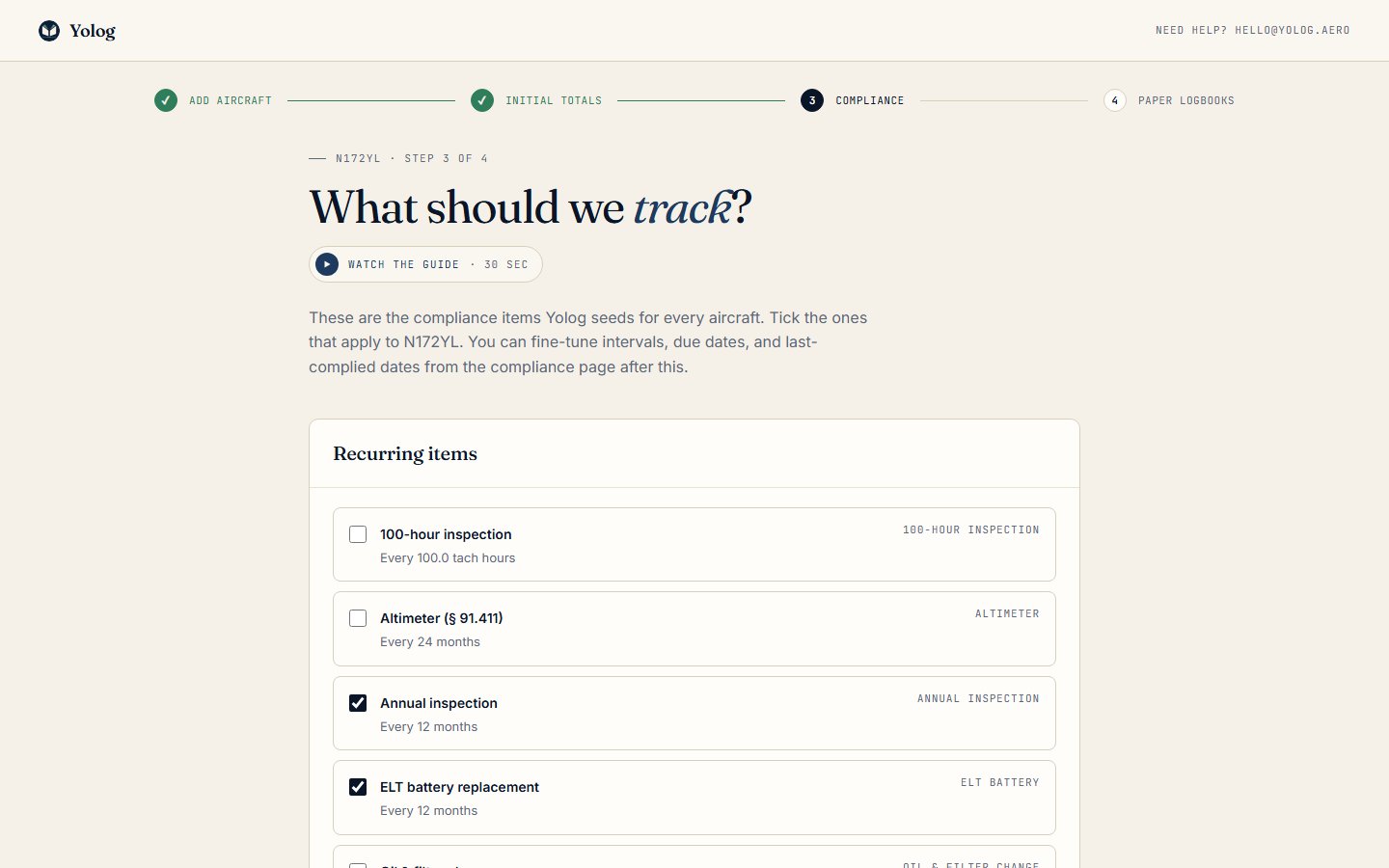
The recurring items
Each item shows its interval, such as “Every 12 months” or “Every 100.0 tach hours”. Here’s what each one is and when it applies. The rule references are there so you can look them up or ask your mechanic; whether a rule applies to your aircraft depends on how you fly it.
Annual inspection (on by default, every 12 months). Nearly every aircraft needs an annual inspection within the preceding 12 calendar months to be flown, under 14 CFR 91.409(a). Leave this on.
100-hour inspection (off by default, every 100 tach hours). Required under 14 CFR 91.409(b) only if the aircraft carries people for hire or is used for flight instruction you provide for hire. Most privately flown aircraft don’t need it. Tick it if yours is rented out or used for paid instruction.
ELT battery replacement (on by default, every 12 months). Covers your emergency locator transmitter, which has its own inspection and battery rules under 14 CFR 91.207. The battery’s replacement date is usually printed on the battery itself, so after setup you may want to set this item’s due date to match it.
Transponder (§ 91.413) (off by default, every 24 months). If your aircraft has a transponder that you use, it needs a test and inspection every 24 calendar months under 14 CFR 91.413. If you have a transponder, tick this.
Pitot-static system (§ 91.411) and Altimeter (§ 91.411) (off by default, every 24 months). Required under 14 CFR 91.411 if you fly IFR in controlled airspace. If you only fly VFR, you can leave these off, though many owners track them anyway.
Oil & filter change (off by default, every 50 tach hours). A maintenance reminder, not a regulatory requirement. Change the interval to match what you and your mechanic follow. A twin gets one for each engine.
Engine overhaul (TBO). This only appears if you entered a TBO in the previous step. It counts down to your engine’s recommended overhaul time. See Starting hours.
The page’s own reminder sums it up: the annual is on by default, and the transponder, pitot-static and altimeter checks are off by default. Tick what fits your aircraft.
Continue or skip
Click Continue to save your choices and go on to step 4, bringing in your paper logbooks. See Scan your paper logbooks.
Skip - I’ll do this later also takes you to step 4, but leaves the items as they were (the annual and ELT on, everything else off).
When tracking starts
Ticking an item doesn’t mean you’ll see due dates straight away. Compliance tracking stays paused until you confirm your paper records are fully imported, because due dates worked out from half a logbook would be wrong. You’ll see a Done importing your paper logbooks? banner on your aircraft’s page. Click I’m done importing - start tracking when you’re ready. Review and apply your scanned entries explains this step.
After that, Yolog works out each due date from the most recent matching entry in your logbooks, or from the last-complied date you enter on the compliance page.
Changing it later
On the compliance page you can turn items on or off, change intervals, set the last-complied date, add your own items, and review the Airworthiness Directives Yolog matched to your aircraft. See Compliance and ADs.
As the owner, you’re responsible for keeping your aircraft’s required inspections current under 14 CFR 91.405 and 91.409. Yolog is a tracking aid. Your mechanic is the best person to confirm what applies to your aircraft.
Still stuck? Contact us - a real person reads every message.